
Turn Facebook Live Comments Into Organized Sales.
AMCIETY Live helps online sellers capture customer claims, manage available quantities, register buyers and automatically send claim confirmations — while the seller concentrates on actually selling.
Explore AMCIETY Live →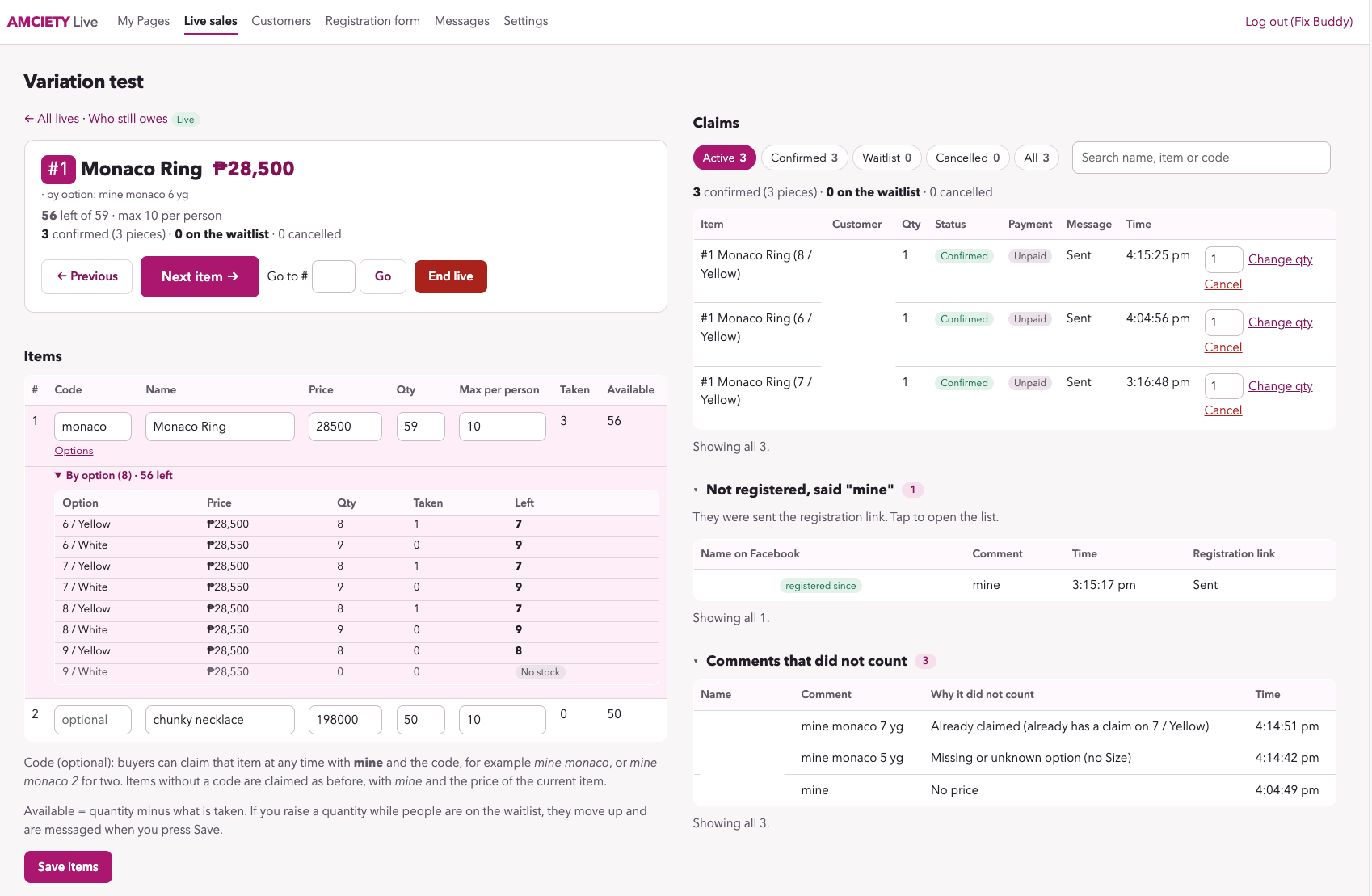
Live selling gets busy. Fast.
You're presenting an item while customers are commenting at the same time. Someone wants one piece. Another wants two. Someone comments using the wrong information. Another buyer hasn't registered yet — and the next product is already waiting.
Manually checking every comment, writing down claims and keeping track of remaining quantities can quickly become difficult.
That's the job AMCIETY Live was created to help with.
From Comment to Confirmed Claim
AMCIETY Live helps organize the steps happening behind your Facebook live-selling session.
Connect
The seller connects the Facebook Page used for live selling to AMCIETY Live.
Register
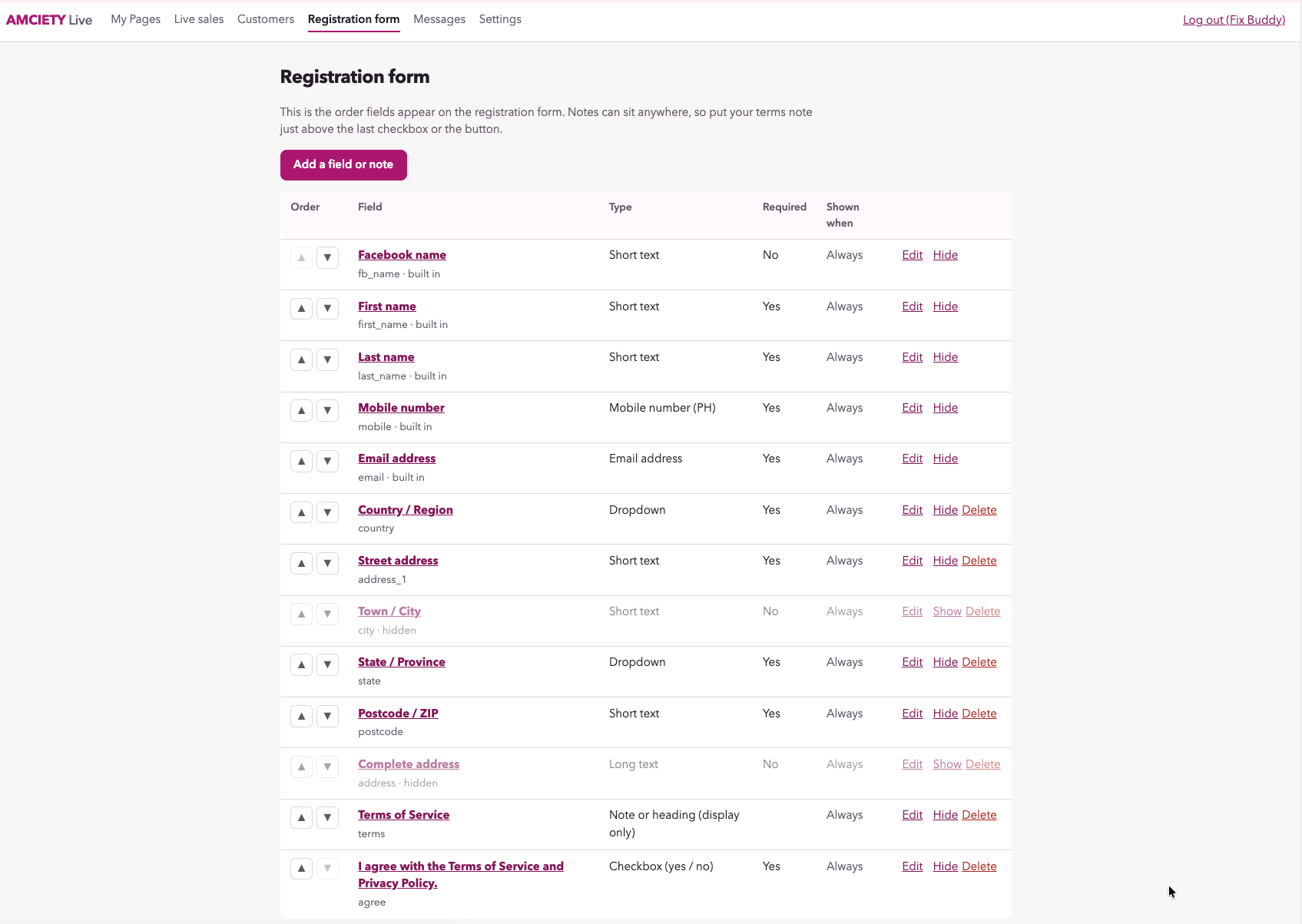
Buyers register their customer information before making valid claims.
Claim
During the live, registered customers claim items using the seller's required comment format.
Confirm
Valid claims are recorded and the customer can automatically receive confirmation through the seller's Page.
What if someone comments “mine” but isn't registered?
AMCIETY Live can recognize that the person attempting to claim hasn't registered yet.
Instead of leaving the buyer wondering what happened, the seller's Facebook Page can send a message explaining that registration is required and provide the registration link.
Once registration is completed, the buyer can return and make a valid claim using the required format.
Let buyers know what happened.
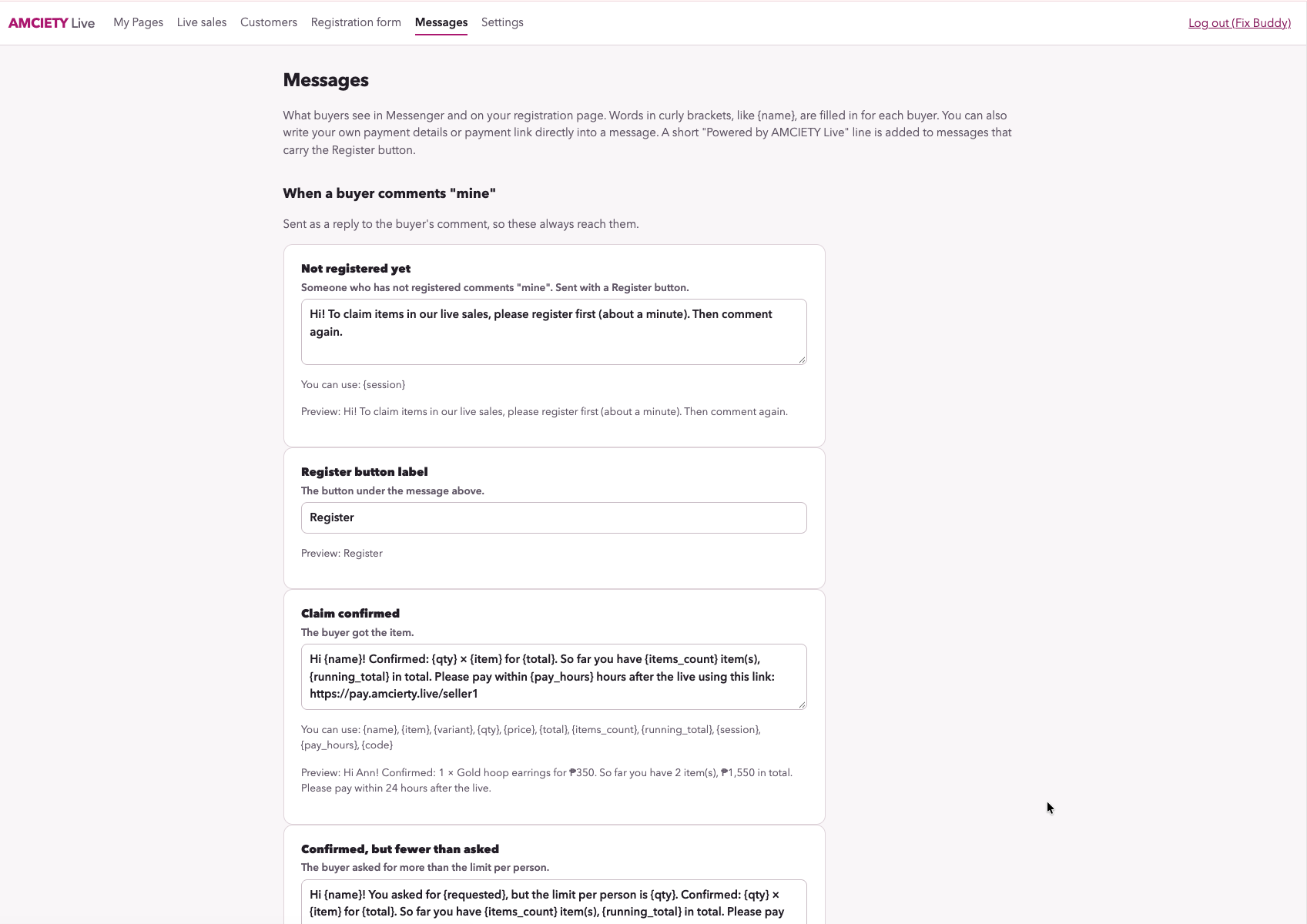
Sellers can configure messages used during the live-selling process.
- Registration instructions for unregistered buyers
- Successful claim confirmations
- Quantity-related claim messages
- Seller-specific payment instructions
- Payment links for completing the transaction
This gives buyers clearer feedback without requiring the seller to manually message every successful claimant while the live is still running.
See What's Happening While You're Live
The seller dashboard gives you a working view of your active items and the customers trying to claim them.
Monitor confirmed claims, quantities, available stock, waitlisted customers, unsuccessful claim attempts and other activity from the live-selling session in one place.
Built Around Real Live-Selling Situations
Quantity Tracking
See how many units were claimed and how many are still available while the live is running.
Item Variations
Handle products with options such as size, color or other seller-defined variations.
Per-Buyer Limits
Set maximum quantities per customer when you don't want one buyer taking all available stock.
Waitlisting
When available quantity is reached, additional valid claimants can be tracked on the waitlist.
Unregistered Buyers
See people who attempted to claim before completing the required registration.
Claims That Didn't Count
See unsuccessful claim attempts and information about why the system didn't treat them as confirmed claims.
Organize Multiple Live-Selling Sessions
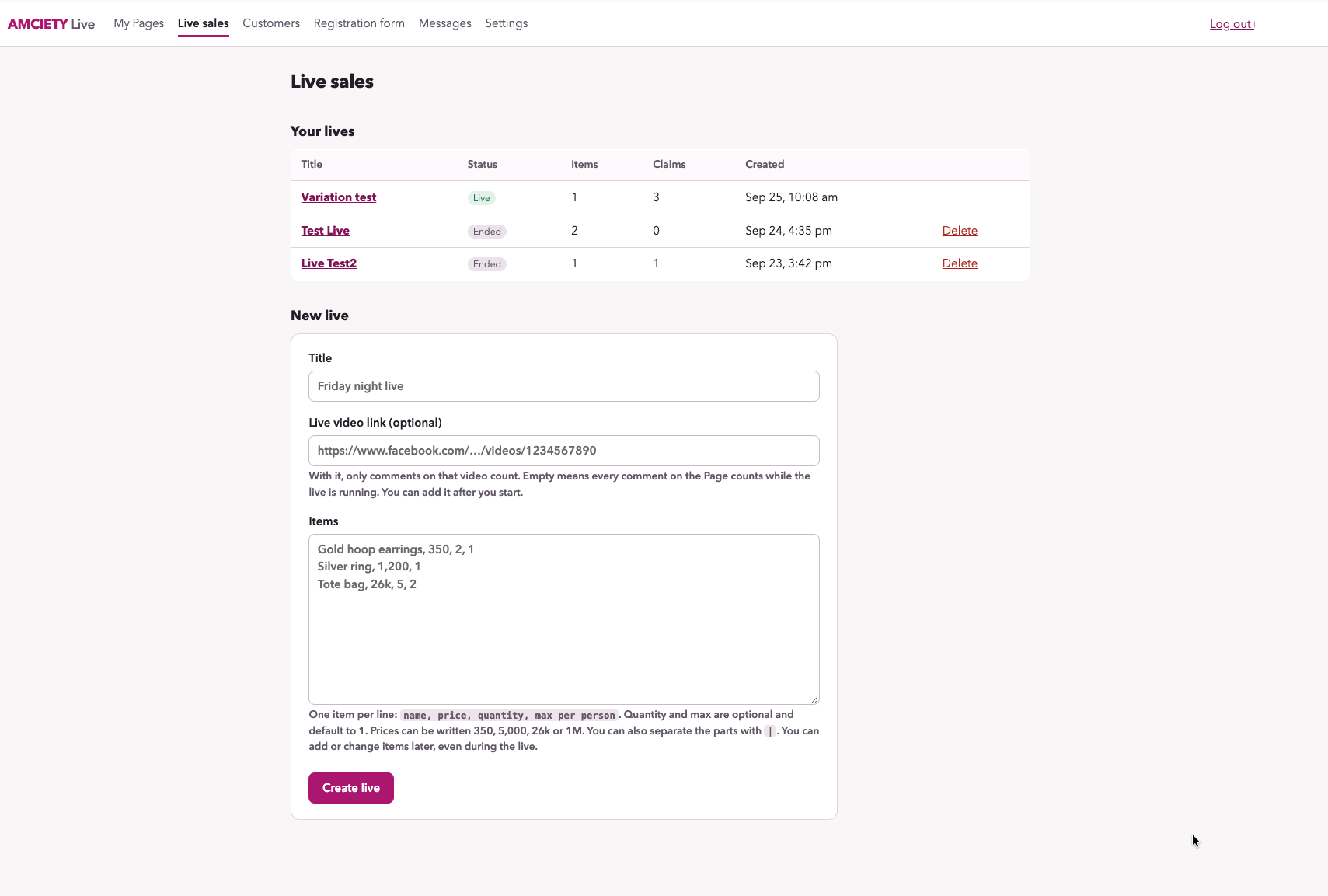
Sellers can create and manage individual live-selling sessions instead of mixing every claim into one continuous list.
Products can be prepared for the live, quantities can be configured, and previous sessions remain easier to identify and review.
From “Mine” to Paid
A confirmed claim is only part of the transaction. AMCIETY Live can also direct the buyer to a payment link, including an AMCIETY Pay page when the seller uses both services.
Frequently Asked Questions
Do customers need to download an app?
No. Customers interact through the seller's Facebook live-selling process and web-based registration experience. They do not need to install the AMCIETY Live seller application on their device.
What happens if a customer isn't registered?
If an unregistered person attempts to claim during the live, AMCIETY Live can identify the attempt and the seller's Page can send the buyer a message containing the registration link. The buyer can register and then claim using the required format.
Can AMCIETY Live track limited quantities?
Yes. Sellers can configure item quantities and monitor confirmed claims against the available quantity.
What happens when an item reaches its available quantity?
Additional qualifying claims can be tracked on the waitlist, helping the seller identify customers who may receive the item if stock becomes available again.
Can products have variations?
Yes. AMCIETY Live can support seller-defined product options, such as size or color, so claims can be associated with the appropriate variation.
Does AMCIETY Live collect payments?
AMCIETY Live focuses on the live-selling and claim workflow. A seller can include a payment link in customer messages. Sellers using AMCIETY Pay can connect the two workflows so confirmed buyers can proceed to the seller's payment page.
Is AMCIETY Live part of Facebook?
No. AMCIETY Live is an independent service and is not affiliated with, endorsed by or sponsored by Meta Platforms, Inc. Its Facebook-related functionality depends on access made available through Meta's platform and services.
Spend More Time Selling.
Let AMCIETY Live help organize the claims, quantities and customer activity happening behind your live sale.
Explore AMCIETY Live →