
Simple Payments.
Anywhere.
Give your customers one simple place to send their payment details, choose how they want to pay and complete their transaction — while you keep everything organized.
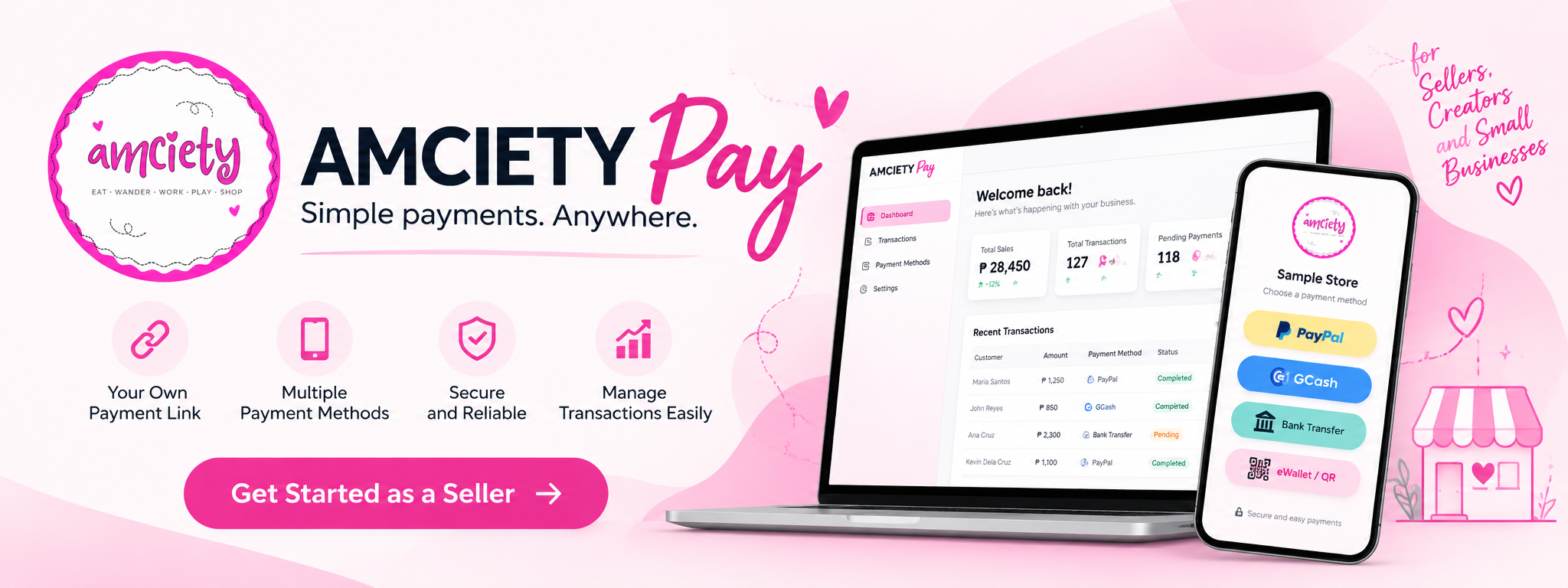
Stop sending payment instructions over and over.
Online selling often means sending QR codes, bank information and payment instructions manually — then searching through messages and screenshots to figure out who paid for what.
AMCIETY Pay gives your business a permanent payment page that you can share with customers whenever they're ready to pay.
From Payment Link to Payment
Customers don't need to search through old messages for your payment instructions. Send them your AMCIETY Pay link and let the page guide them through the process.
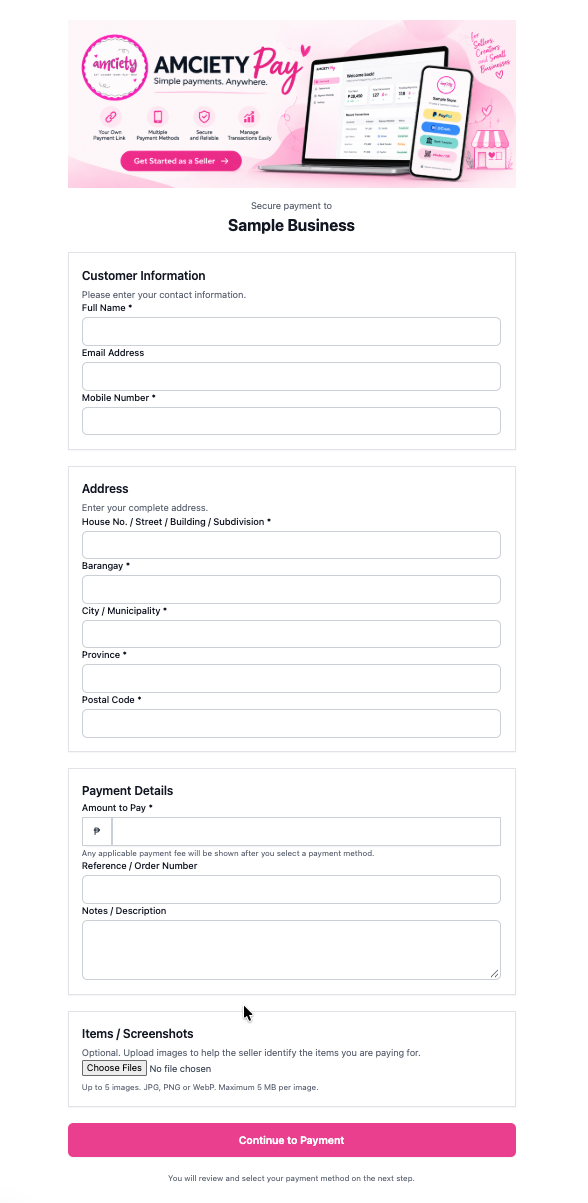
One link for your customers.
Each seller can use a permanent AMCIETY Pay page and share it through Messenger, social media, live-selling confirmations or directly with a customer.
Instead of sending several messages asking for information, the customer can provide the details needed for the transaction directly on the page.
- Customer name and contact information
- Complete delivery address
- Amount to pay
- Reference or order number
- Notes or transaction description
- Up to five item or order screenshots
Let customers choose how to pay.
Sellers decide which payment options are available to their customers. Add manual payment methods and configure supported integrated payment gateways from one place.
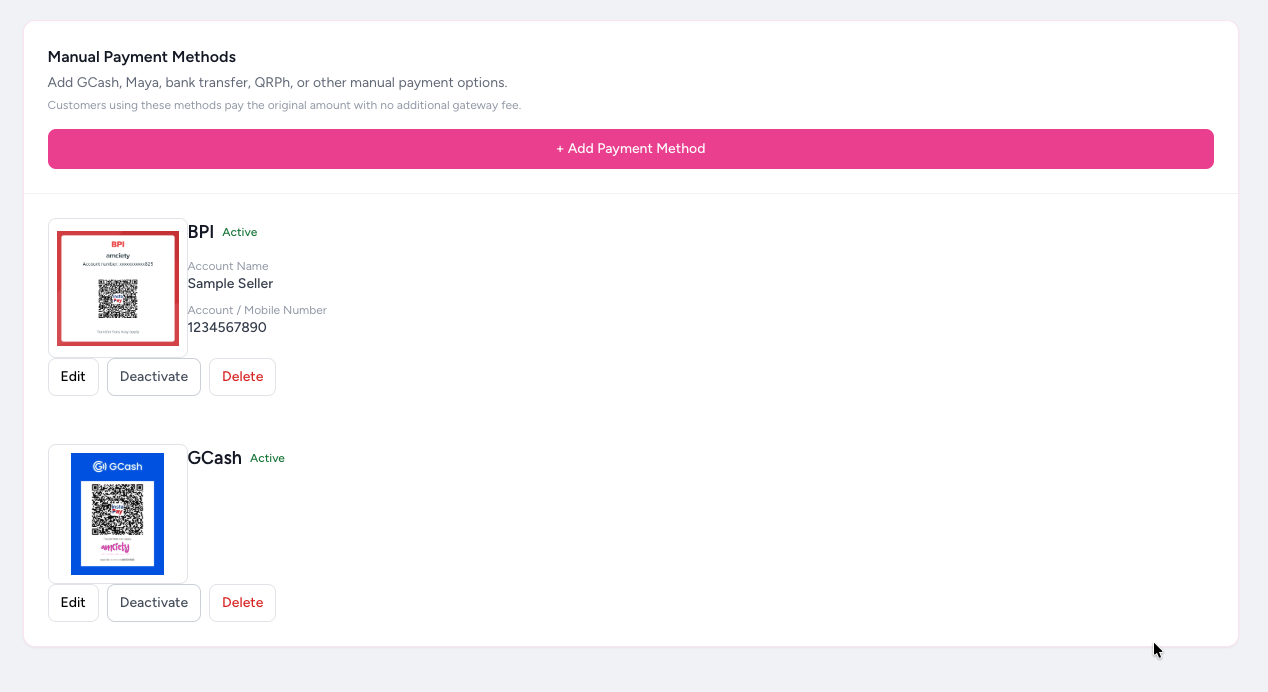
- Add manual payment methods such as GCash, Maya, QRPh or bank transfer
- Display the seller's QR code or payment account information
- Activate or deactivate individual payment methods
- Collect payment proof for manual transactions where required
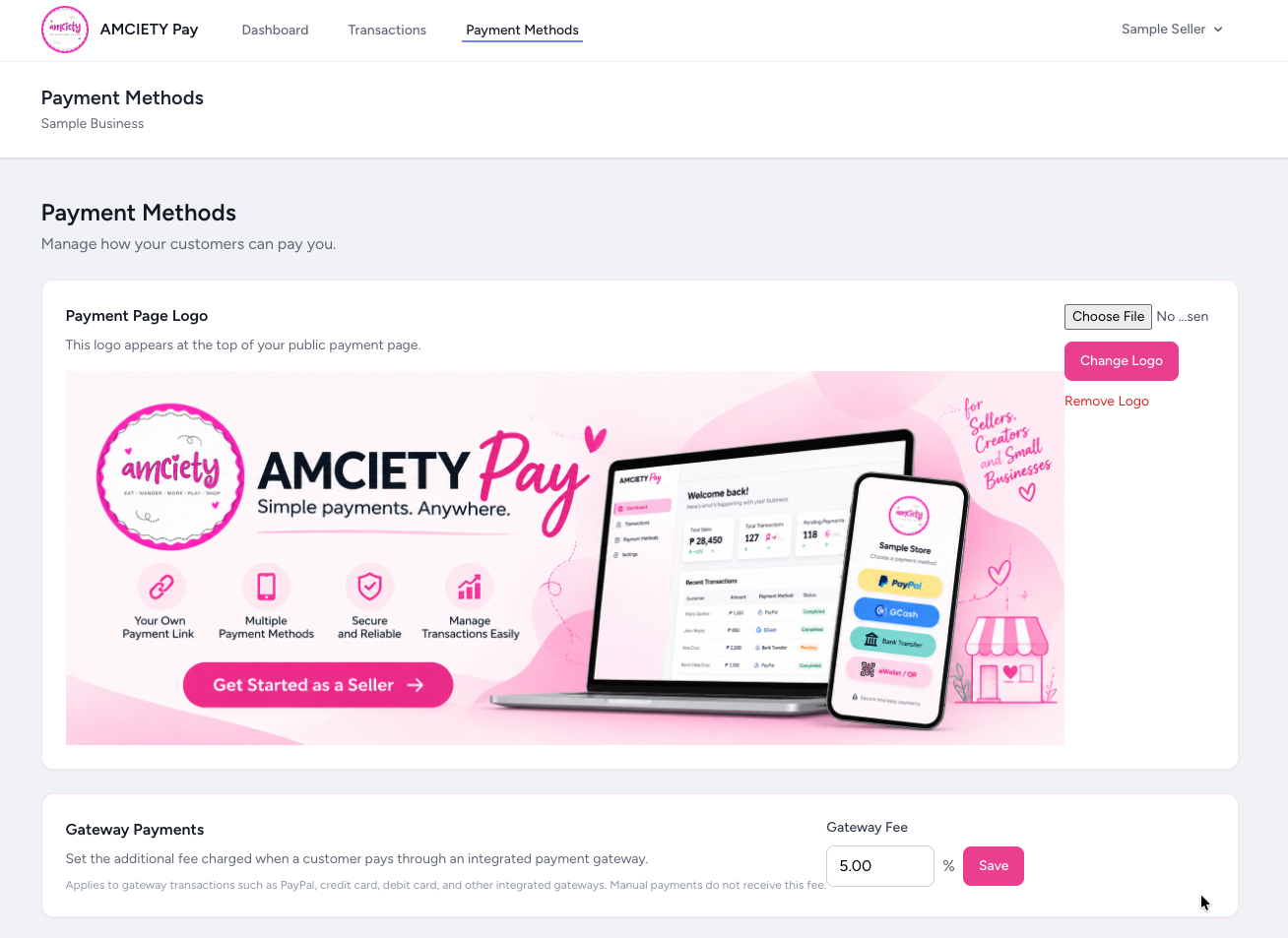
- Configure an additional gateway fee for supported integrated gateway payments
Configure how gateway fees are handled.
For supported integrated payment gateways, the seller can configure an additional gateway fee.
When an applicable gateway is selected, AMCIETY Pay can calculate the configured fee as part of the transaction. When the customer chooses a manual payment method, the gateway fee does not apply.
This lets customers clearly see the amount associated with the payment option they choose.
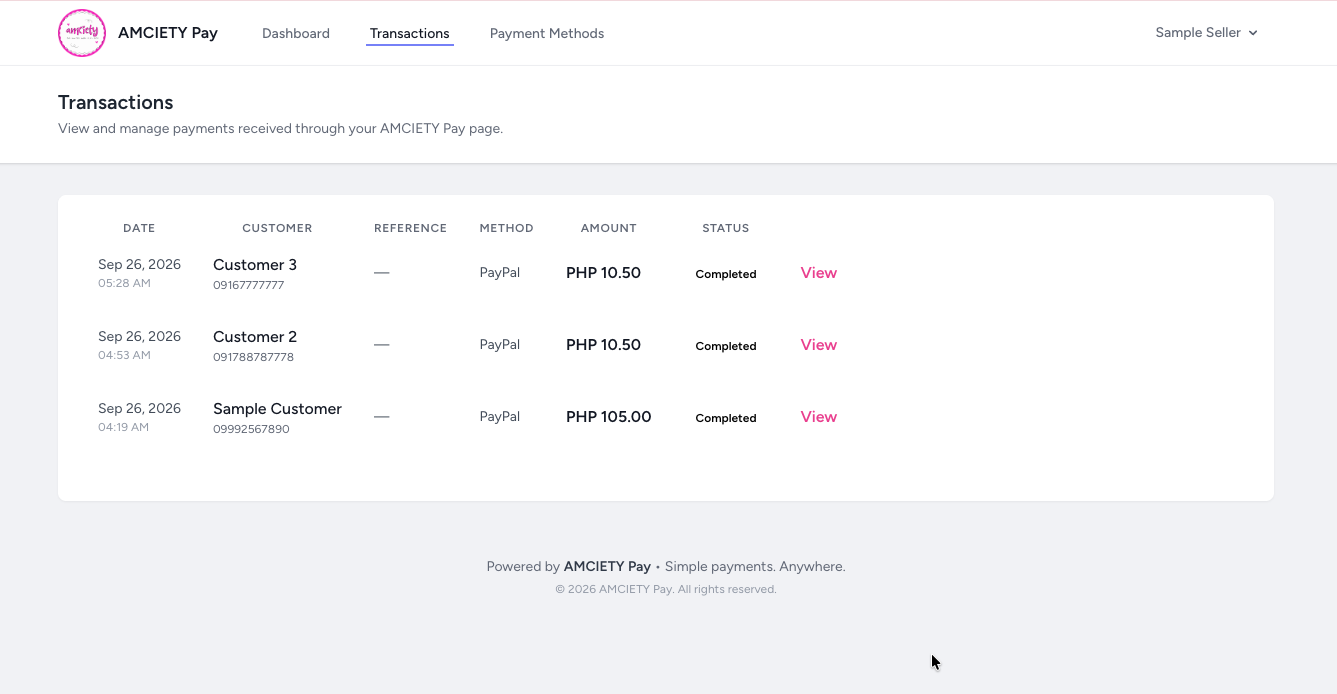
See your payments in one place.
AMCIETY Pay keeps a record of transactions received through your payment page so you don't have to rely only on chat history and screenshots.
- See the customer associated with a transaction
- View the payment amount
- Identify the payment method used
- See payment or verification status
- Open individual transactions for more information
From “Mine” to Paid
AMCIETY Pay works independently, but it can also become the payment step after a successful AMCIETY Live claim.
When AMCIETY Live confirms a successful claim, the seller's confirmation message can include their payment link — including an AMCIETY Pay page when the seller uses both services.
AMCIETY Pay does not require AMCIETY Live. Sellers can use AMCIETY Pay as a standalone payment management tool.
Learn About AMCIETY Live →Frequently Asked Questions
What is AMCIETY Pay?
AMCIETY Pay is a payment management tool for online sellers. It gives sellers a payment page they can share with customers and helps organize customer details, payment methods and transactions.
Does a customer need to create an AMCIETY Pay account?
The public payment page is designed so customers can provide their transaction information and proceed with the seller's available payment options without using a seller dashboard account.
Do I need AMCIETY Live to use AMCIETY Pay?
No. AMCIETY Pay can be used independently. AMCIETY Live and AMCIETY Pay can also be used together to create a smoother process from a live-selling claim to payment.
Can I add GCash or bank transfer as payment methods?
Sellers can configure supported manual payment options such as e-wallets, QR-based payments and bank transfers, including the account information or QR image customers need to make the payment.
Can customers upload screenshots of their items?
Yes. Customers can optionally attach item or order screenshots to help the seller identify what the payment is for. The current payment page supports up to five images.
How are gateway fees handled?
Sellers can configure an applicable gateway fee for supported integrated payment methods. The fee is applied when an applicable gateway is chosen. Manual payment methods do not receive that gateway fee.
Can I see my previous payment transactions?
Yes. The seller dashboard includes a Transactions area where payments can be reviewed along with information such as the customer, amount, payment method and status.
Does AMCIETY Pay hold my money?
AMCIETY Pay is designed to help sellers manage the payment process. Payment handling depends on the payment method or payment provider selected by the customer.
Make Getting Paid Simpler.
Give your customers one payment destination while keeping payment details and transactions easier to manage.
Explore AMCIETY Apps →